Real Teachers, Real Results: Four Schools Using AI Writing Assessment Their Way


7 min

Success Story

Sam Calilung
Share


When we set out to develop an AI-powered writing assessment tool with Mark My Words, the goal was simple: give teachers back their time while improving the consistency of data and quality of feedback. And it had to align with the proven Seven Steps pedagogy, so the feedback matches the language students hear in class.
Is it delivering? Since January, more than 150 schools have assessed almost 18,000 pieces of student writing with the tool. So we asked teachers and school leaders across public, Catholic and independent schools what it’s really like to use.
The first answer came up again and again. “I used to spend 20 to 30 minutes per script and that’s now down to 10 minutes per script,” Deb Larmer, a Year 5 teacher at Our Lady of the Pines Primary School in Victoria and one of our Seven Steps presenters, told us. The tool does the heavy lifting on assessment, freeing teachers to focus their energy where it counts most: applying professional judgement, adding personal knowledge of each student and acting on what the tool shows them to teach next.
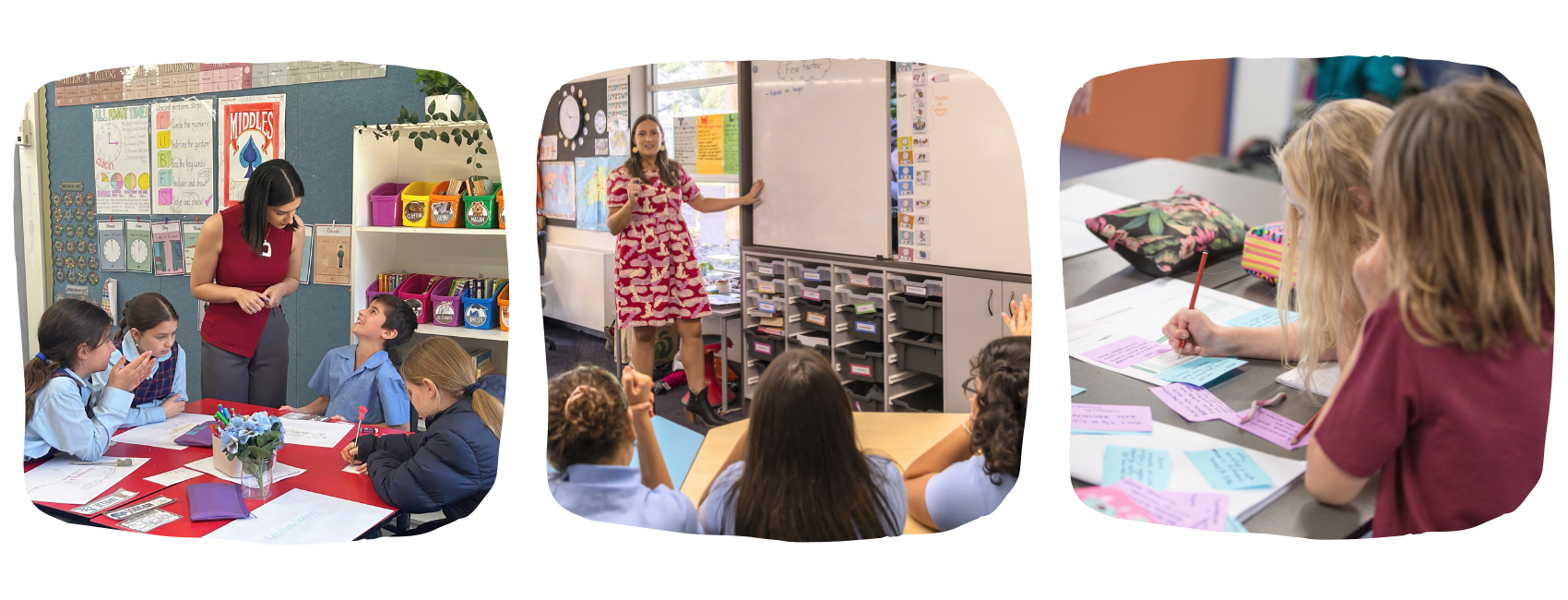
That shift is where it gets interesting. Here are four stories, each profiling a different way schools are using the tool to make an impact on student outcomes.

Feedback students can actually use
Diana Nagorcka, eLearning Coordinator, Good Shepherd Lutheran Primary School (VIC)
Good Shepherd had already trialled another AI assessment tool before finding out about ours. As the school’s eLearning Coordinator, Diana gathered her teachers’ initial impressions of the tool and one theme kept coming up: the quality of the feedback itself.
“The way that the feedback is phrased is very student-friendly and it’s actually very actionable. Students are able to look at that and put it into practice.”
For the teachers at Diana’s school, that was the whole point. When feedback is clear and actionable, teachers can share it in language students understand, and students act on it straight away. Teachers track the growth across pieces: stronger sentence structure here, better word choices there.
Diana also shared an important point. Manual marking can be influenced by things that aren’t on the rubric, like messy handwriting or spelling errors that hide the quality of a student’s ideas. The tool’s transcription feature helps teachers assess the higher-order composition skills, not just the secretarial ones.
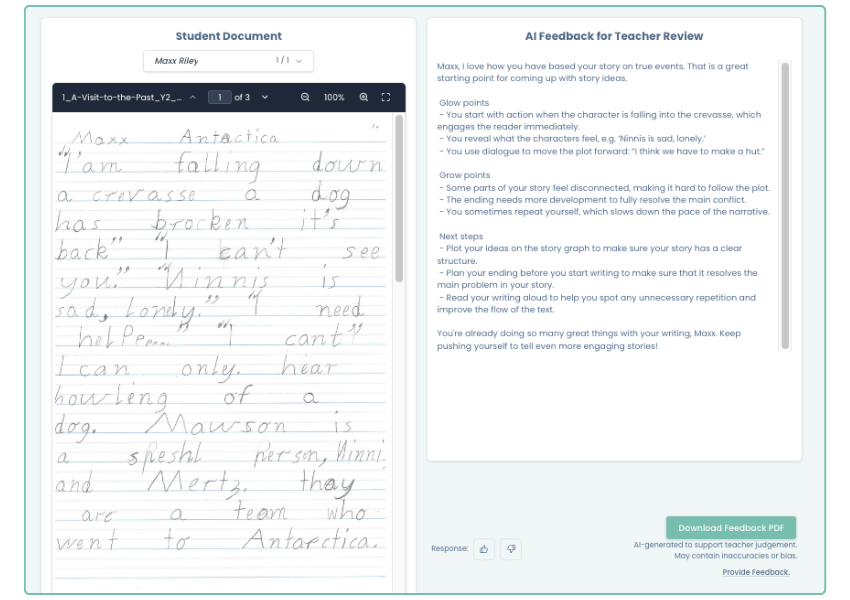
The feature in focus: Student-friendly, actionable feedback plus transcription, so writing is assessed on its merits and students know exactly what to do next.
Smarter goals and better parent conversations
Penny Evans, Year 5/6 Teacher, Thiele Primary School (SA)
Penny had used another assessment tool before this one and the first difference she noticed was the language. Her old tool’s feedback wasn’t student-friendly or even teacher-friendly. Our individual student reports became an instant favourite.
“We want to work smarter, not harder and I think that assessment tool does it for us.”
Penny is putting those reports to work in a practical way: goal setting. Nine of the 25 students in her class have an individual learning plan and she’s using the Glow and Grow feedback to write more targeted writing goals for each of them. These will be used as the basis for student and parent conferences going forward.
The class analytics are shaping her teaching too. The data showed her class was lowest on conclusions, which matched her instincts, so now she knows exactly where to focus next.
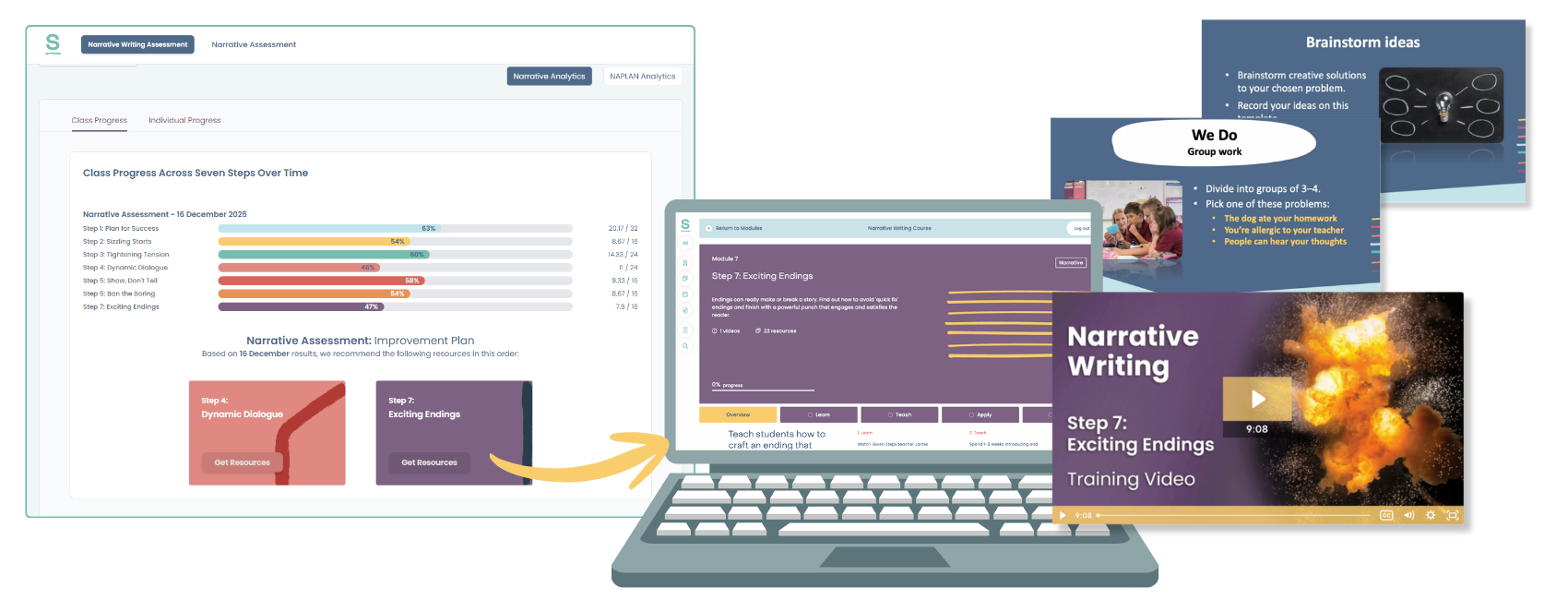
The feature in focus: Glow and Grow feedback and class analytics, turning assessment data into individual goals, targeted teaching and conversations parents actually understand.
Consistency across the staffroom
Louise Byrne, Deputy Principal, St John XXIII Catholic College (NSW)
Before the AI tool, the team at St John XXIII was marking manually with rubrics and peer marking against NAPLAN guidelines. It was time-consuming and consistency between teachers’ judgements was a constant challenge.
Since February, the school has assessed more than 1,500 pieces of student writing, giving teachers a shared reference point that keeps everyone aligned, whether they’re marking on their own or moderating together.
“It’s helping the teachers to be more explicit about where the needs are for their students in writing. It’s also helping them with that peer marking and making sure they’re on the same page. That feature we absolutely love.”
St John XXIII also helped shape where the tool went next. Their feedback led directly to the student portfolio function, which keeps each student’s assessment history in one place so data follows them from year to year, not just within a single class or term.
The ability to switch between the Seven Steps and NAPLAN rubrics has been a bonus, letting teachers focus on whichever lens suits the task at hand.
The feature in focus: Shared, consistent marking that takes the guesswork out of moderation and helps a whole teaching team stay on the same page.
A springboard for personalised feedback
Susan Sim, Primary Curriculum Leader, Shepparton Christian College (VIC)
At Shepparton Christian College, Susan and her team were looking for two things: self-paced professional development and a better way to assess writing. The AI tool is bringing the two together. Once writing is assessed, the tool directs teachers to the on-demand training and targeted resources that address the specific needs of their students, so teachers aren’t just spotting the gaps, they know exactly how to close them.
The feedback itself supports her teachers rather than replacing their judgement.
“The AI assessment tool is a really powerful and valuable resource. The feedback generated provides a good springboard for teachers to build upon, enabling us to personalise comments and highlight specific areas for improvement in each student’s writing.”
That word springboard captures how the tool works best. The AI does the first pass, then teachers add their professional knowledge of each student on top.
“We particularly appreciate the clear structure of the feedback, presented in dot points with ‘Glow’ and ‘Grow’ sections, along with suggested next steps.”
The feature in focus: Clearly structured feedback that links straight to on-demand PD and targeted teaching resources, giving teachers a strong starting point to personalise, not a script to follow.
Watch this video to see how it works.
More than a marking tool
What ties these four schools together is that none of them are using the AI-powered assessment tool on its own. Teacher professional judgement stays front and centre: the tool takes on the detailed, time-consuming marking, freeing teachers to apply their expertise to what each piece of writing really needs. Because it’s built on the Seven Steps methodology and connected to Teacher Hub, assessment doesn’t stop at a score. It points teachers to the exact training and resources to inform what they teach next, so it makes an impact on student outcomes.
That’s the difference between an AI tool that’s driven by teachers rather than tech.
Want to see it in action? Book a 15-minute demo or explore the AI-powered writing assessment tool.